Python Getting Started
Python Install
Many PCs and Macs will have python already installed.
To check if you have Python installed on a Windows PC, search in the Start Bar for Python or run the following on the Command Line (cmd.exe):

To check if you have python installed on a Linux or Mac, then on linux open the command line or on Mac open the Terminal and type:

If you find that you do not have Python installed on your computer, then you can download it for free from the following website:https://www.python.org/
Python Quickstart
Python is an interpreted programming language, this means that as a developer you write Python (.py) files in a text editor and then put those files into the python interpreter to be executed.
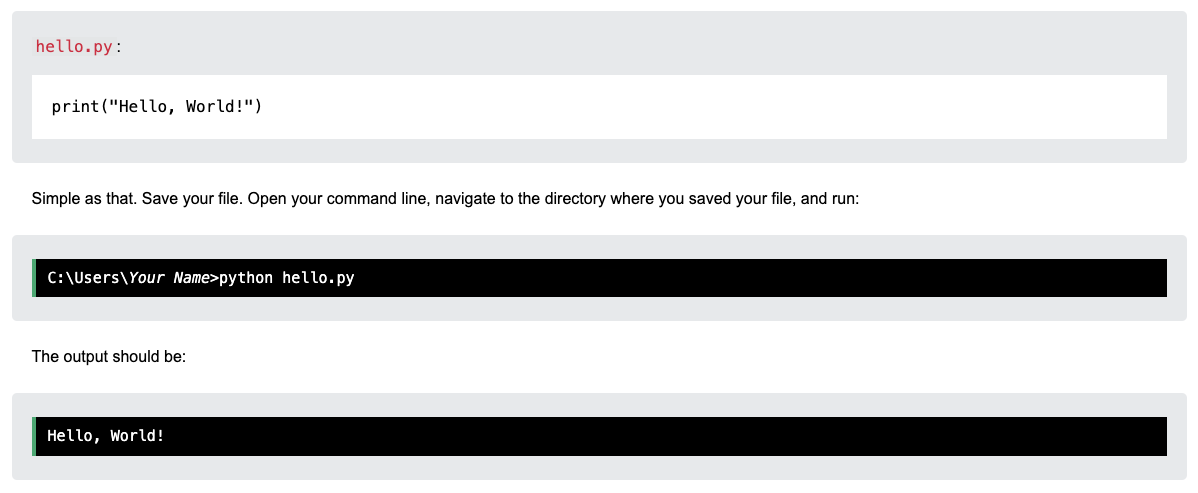
Let’s write our first Python file, called hello.py, which can be done in any text editor:
Python Statements
A computer program is a list of “instructions” to be “executed” by a computer.
In a programming language, these programming instructions are called statements.
The following statement prints the text “Python is fun!” to the screen:

In Python, a statement usually ends when the line ends. You do not need to use a semicolon (;) like in many other programming languages (for example, Java or C).
Many Statements
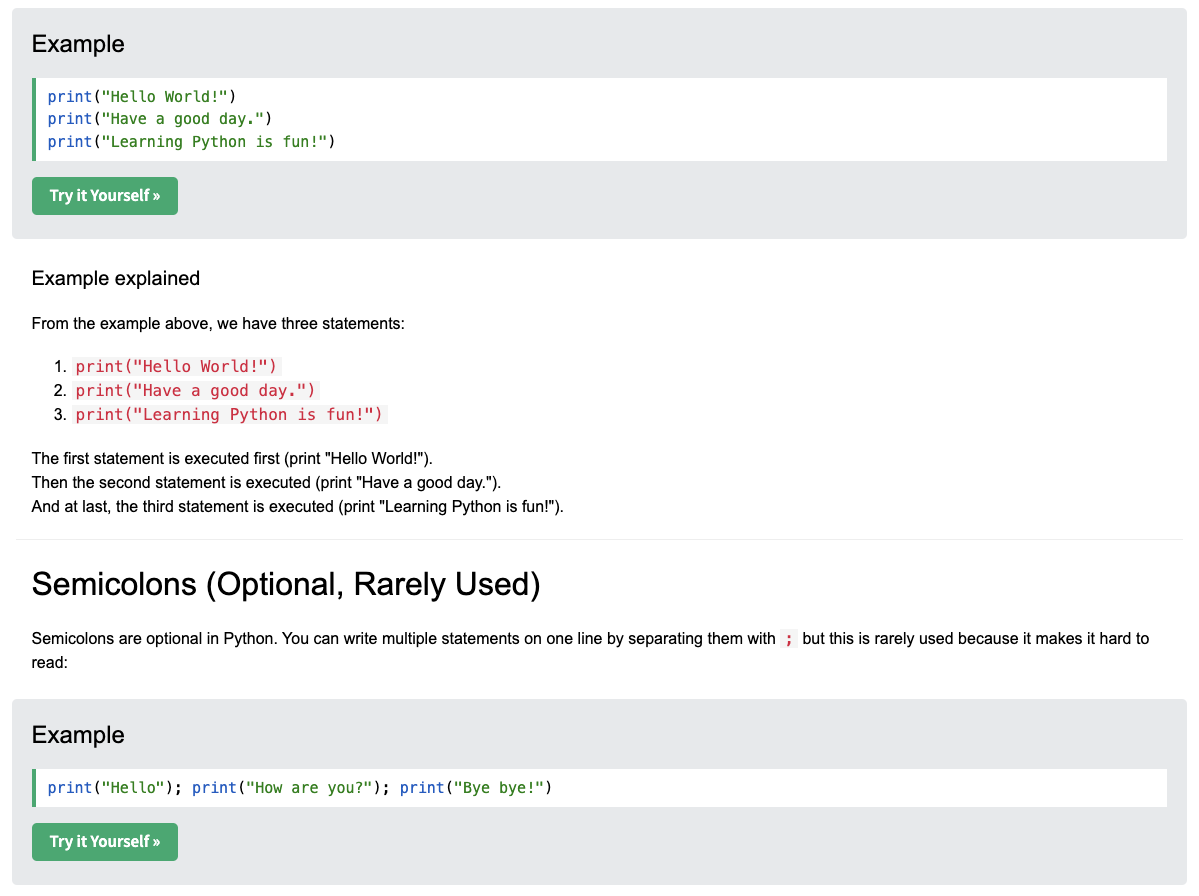
Most Python programs contain many statements.
The statements are executed one by one, in the same order as they are written: